
Yes, a properly built small business website typically pays for itself within 4–14 months depending on the business model, and delivers positive ROI every year after that. The numbers back this up: B2B service businesses and local services commonly break even in 4–7 months, while ecommerce sites often take 12–14 months to reach break-even. Local service businesses that generate a few leads per month from a modestly priced site can reach break-even within several months.
Three factors determine which end of that range you land on:
- Average customer value. A plumber closing higher-value jobs reaches positive ROI much faster than a retailer selling low-priced items.
- Conversion path. A site that captures leads clearly and moves visitors to action earns faster than one that just looks good.
- Tracking. If you can’t trace revenue back to your site, you can’t manage or improve it.
The rest of this guide gives you a calculator, real benchmarks, and the specific moves that push your small business website ROI higher.
Table of Contents
- How do you calculate small business website ROI?
- What do typical U.S. website costs and ROI benchmarks look like?
- Which metrics actually tell you whether your site is earning?
- How do you actually improve your website’s ROI?
- What tools do you need to track website ROI reliably?
- How Ydjmedia helps small businesses get faster website ROI
- Key Takeaways
- The thing most small business owners get wrong about website ROI
- Your site should be earning, not just existing
- Useful sources and tools
How do you calculate small business website ROI?
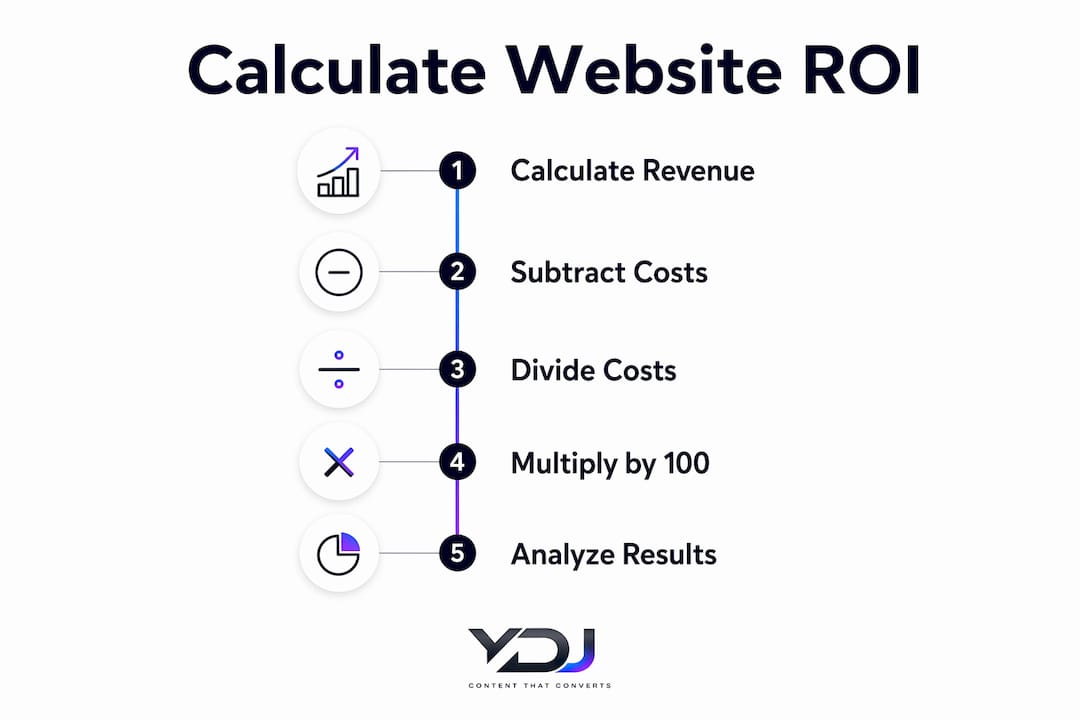
Website ROI compares what the site costs you to what it earns. The formula is straightforward:
ROI = (Revenue from Website − Total Website Costs) ÷ Total Website Costs × 100

Inputs you need to collect
Before you run the numbers, gather these seven figures:
- Leads per month from the site
- Close rate (percentage of leads that become paying customers)
- Average sale value
- Repeat purchase or retention rate
- One-time build cost (amortized over 2–3 years)
- Monthly operating costs (hosting, apps, maintenance)
- Monthly marketing spend tied to the site (ads, SEO)
Step-by-step calculator
- Monthly revenue from site = Leads × Close rate × Average sale value
- Annual revenue from site = Monthly revenue × 12
- Annual total cost = (One-time build cost ÷ 2) + (Monthly operating cost × 12) + (Annual marketing spend)
- ROI = (Annual revenue − Annual cost) ÷ Annual cost × 100
Worked example
Say you run a home services business. Your site generates 8 leads per month, you close 40% of them, and your average job is $600.
- Monthly revenue is calculated by multiplying leads, close rate, and average job value
- Annual revenue is monthly revenue multiplied by 12
- Annual cost is calculated from amortized build cost, operating, and marketing expenses
- ROI is then calculated as the percentage difference between annual revenue and costs
Per-1,000-views illustration: If your site gets 1,000 monthly visitors and converts at 0.8% to a lead, that’s 8 leads. Raise conversion to 1.6% and you double your leads without spending a dollar more on traffic.
One note on amortization: spreading your one-time build cost over two years gives a conservative, realistic year-one figure. If you plan to rebuild every year, expense it fully in year one instead.

What do typical U.S. website costs and ROI benchmarks look like?
Cost ranges by build type
| Build Type | One-Time Build Cost | Ongoing Monthly Cost |
|---|---|---|
| DIY site builders have low initial and ongoing costs | ||
| Freelancers generally charge moderate build and ongoing fees | ||
| Small agencies command higher build and monthly costs | ||
| Ecommerce features typically add extra build and monthly expenses |
Typical small-business build costs in the U.S. range from $500 to $5,000 for a straightforward site, with ongoing costs from roughly $0–$50/month for site builders up to $50–$200/month for custom builds.
ROI benchmarks by business type
B2B services (consulting, legal, accounting): Highest ROI potential. A single closed client can be worth $5,000–$50,000+. Even 1–2 leads per month produces strong returns. Typical payback for B2B services can be within a few months.
Local service businesses (plumbing, HVAC, landscaping): Solid ROI when the site captures local search traffic and has clear contact options. Payback timeline: 4–7 months.
Ecommerce: Slower to break even because traffic costs are higher and average order values are often lower. Payback timeline: 12–14 months.
Two factors push a business into the high-ROI band: a high average order value and a short sales cycle. A $10,000 consulting engagement needs only a handful of site-sourced clients to deliver outsized returns. A $25 product needs volume, and volume costs money to acquire.
Pro Tip: Amortize your build cost over two years for a fair year-one ROI picture. If your site is still running in year three, every dollar of revenue in that year is nearly pure return.
Which metrics actually tell you whether your site is earning?
Revenue from a website flows through three stages: traffic comes in, a percentage converts, and each conversion has a dollar value. Improving any one of those stages moves ROI. But you can’t improve what you don’t measure.
The metrics that matter most
- Goal completions: Form submissions, phone call clicks, booking confirmations. This is the number that connects site activity to actual business outcomes.
- Conversion rate by source: Organic search, paid ads, and direct traffic convert at different rates. Knowing which source produces the cheapest conversion tells you where to put your next dollar.
- Cost per conversion: Total spend on a channel divided by conversions from that channel. Far more useful than raw session counts.
- Average order value / value per conversion: Multiply this by your close rate to get revenue per lead.
- Customer lifetime value (LTV): A customer who returns three times is worth three times as much. Sites that drive repeat visits compound ROI over time.
The single most important metric for any small business site is goal completions. Define one primary goal — the one action that means the site worked — and track it weekly before you look at anything else. Sessions, pageviews, and bounce rate are context; goal completions are the result.
A common attribution mistake: crediting all conversions to the last click. A visitor might find you through organic search, leave, then return via a direct visit to book. Tag your traffic sources with UTM parameters so you can see the full picture in GA4.
Pro Tip: Check your mobile conversion rate separately from desktop. Mobile visitors often convert at half the rate of desktop users — not because they’re less interested, but because forms are hard to fill on a phone and CTAs are buried. Fix that gap before spending more on traffic.
How do you actually improve your website’s ROI?
Fix the conversion path before you spend on traffic. A broken funnel wastes every dollar you put into ads or SEO.
Prioritized tactics by expected impact
-
Add a visible phone CTA on mobile (High impact, fast). A tap-to-call button above the fold on mobile can lift contact rates significantly for local service businesses. Five core features that convert consistently include a visible phone CTA, short contact form, clear pricing or service tiers, social proof, and a mobile-friendly layout.
-
Shorten your contact form (High impact, 1 hour). Every extra field you remove increases submission rates. Name, email, and one qualifying question is usually enough to start a conversation.
-
Add social proof near your CTA (High impact, 1 day). A testimonial or star rating placed directly above or beside your contact form tips fence-sitters into customers.
-
Run conversion optimization on your highest-traffic page (High impact, 1 week). Clear CTAs, trust signals, and fewer distractions on your top landing page often beat spending more on traffic.
-
Improve page load speed (Medium impact, 1–3 days). Compress images, reduce plugins, and use a fast host. Slow pages bleed visitors before they even see your offer.
-
Publish targeted content for local search (Medium impact, ongoing). Service-area pages and FAQ content pull in high-intent visitors who are ready to buy. Local lead generation features like booking links and location signals reliably lift ROI for service businesses.
-
Add short video to your service pages (Medium impact, 1–2 weeks). Website video content improves engagement and can shorten sales cycles by explaining your service before a prospect ever calls.
-
Launch a targeted paid campaign to a conversion-optimized page (Medium-High impact, 1 week setup). Paid traffic to a broken page wastes budget. Paid traffic to a page that already converts well scales ROI fast.
30/90/180-day improvement checklist
- 30 days: Fix mobile CTA, shorten forms, add one testimonial near each CTA, set up goal tracking in GA4.
- 90 days: Publish two to three service-area or FAQ pages, run an A/B test on your main CTA button, connect form submissions to your CRM.
- 180 days: Review cost per conversion by channel, cut or scale accordingly, add video to your top service page, assess whether paid acquisition makes sense given your current conversion rate.
What tools do you need to track website ROI reliably?
You don’t need an expensive stack. You need four categories of tools working together.
| Tool Category | What It Gives You | Example Tools |
|---|---|---|
| Web analytics | Traffic, goal completions, conversion rate by source | GA4 |
| Session recordings / heatmaps | Where visitors drop off, what they click | Hotjar, Microsoft Clarity |
| CRM / lead tracking | Lead source, close rate, revenue per lead | HubSpot Free, Zoho CRM |
| Ad platform tracking | Cost per click, cost per conversion by campaign | Google Ads, Meta Ads Manager |
| ROI spreadsheet | Single source of truth for all inputs | Google Sheets, Excel |
Spreadsheet inputs for your ROI calculator
| Input | Example Value |
|---|---|
| Monthly site visitors | moderate traffic level |
| Conversion rate | small percentage of visitors converting |
| Leads per month | small number of converted leads |
| Close rate | moderate portion of leads turning into sales |
| Average sale value | moderate transaction amount |
| Monthly revenue | calculated from leads, close rate, and average sale value |
| Monthly amortized build cost calculated from one-time fee | |
| Monthly operating costs | typical ongoing expenses |
| Monthly advertising spend | typical budget |
| Total monthly costs including amortization, operating, and ads | |
| Monthly ROI calculated based on revenue and costs |
Weekly and monthly measurement checklist
- Weekly: Check goal completions, compare to prior week, flag any drop.
- Monthly: Pull cost per conversion by source, update your ROI spreadsheet, review top exit pages.
- Quarterly: Audit your UTM tagging, reconcile ad spend to CRM-tracked revenue, set one conversion improvement goal for next quarter.
A minimal analytics setup that actually works: define one primary goal, tag traffic sources with UTMs, connect form submissions to a CRM, and reconcile ad spend to conversions weekly. Add heatmaps when you need to diagnose a high-exit page.
How Ydjmedia helps small businesses get faster website ROI
Most small businesses don’t have a traffic problem. They have a conversion problem, and they’re paying monthly retainers to agencies that never fix it.
Ydjmedia is built around a different model: conversion-first design, mobile-first build, and a no-risk entry point that removes the biggest barrier most owners face.
What Ydjmedia offers:
- Free demo site preview before you commit a dollar. You see your actual site live, not a mockup.
- One-time pricing. No monthly retainer, no surprise fees, no lock-in.
- 30-day money-back guarantee. If it’s not right, you get your money back.
- Conversion-first design. Every page is built around the actions that generate leads and revenue.
- Mobile-first build. Your site works perfectly on the devices your customers actually use.
- Analytics setup included. Goal tracking is configured from day one so you can measure ROI immediately.
- Fast launch. You’re live quickly, not waiting months for an agency to deliver.
If you want to see what your site could look like before spending anything, request a free demo and Ydjmedia will build it out for you to review first.
Key Takeaways
A properly built small business website typically pays for itself within 4–14 months, depending on business type, and delivers strong positive ROI in every subsequent year, provided the conversion path is clear and performance is tracked.
| Point | Details |
|---|---|
| ROI formula | Use (Revenue − Costs) ÷ Costs × 100; amortize build cost over 2 years for a fair year-one figure. |
| Benchmark payback timelines | B2B services: 4–7 months; local services: 4–7 months; ecommerce: 12–14 months. |
| Top ROI lever | Fix conversion rate before spending on traffic — shorter forms and clear CTAs cost nothing and pay fast. |
| Track goal completions first | Define one primary goal in GA4 and check it weekly before analyzing any other metric. |
| Ydjmedia low-risk option | Free demo site preview, one-time pricing, and a 30-day money-back guarantee reduce the risk of getting started. |
The thing most small business owners get wrong about website ROI
Most owners I talk to are focused on the wrong problem. They want more traffic. What they actually need is a clearer conversion path.
Here’s the honest reality: a site getting 500 visitors a month that converts at 2% produces 10 leads. Double your traffic to 1,000 visitors and keep the same broken conversion path, and you get 20 leads — but you’ve also doubled your ad spend. Fix the conversion rate to 4% on the original 500 visitors, and you get the same 20 leads for free.
The other thing worth saying plainly: a website alone won’t fix a broken business model. If your pricing is off, your service has no differentiation, or your close rate on calls is near zero, the site will surface those problems faster — but it won’t solve them. What a well-built site does is remove friction between an interested prospect and a conversation with you. That’s the job. When it does that job well, the ROI math works out almost automatically.
Your site should be earning, not just existing
If your current site isn’t generating measurable leads or revenue, the problem usually isn’t your industry or your market. It’s the conversion path.
Ydjmedia builds modern, mobile-first websites designed from the ground up to turn visitors into customers. The difference from a traditional agency: you see your actual demo site live before you pay anything. One-time pricing means no ongoing retainer eating into your margins, and the 30-day money-back guarantee means there’s no real risk to getting started.
Fast launch, conversion-first design, analytics configured from day one. If you’re ready to have a site that actually earns, see your free demo site and find out what Ydjmedia can build for your business.
Useful sources and tools
Use these resources to validate your cost assumptions, set up tracking, and run your own ROI calculations:
- Website ROI Calculator — plug in your numbers and get an instant ROI estimate.
- How to Calculate Website ROI — clear breakdown of inputs and methodology from Articulate Marketing.
- Is It Worth Paying for a Website? Honest ROI Analysis — benchmark data for break-even timelines by business type.
- How Much Does a Website Cost? 2026 Design Price Guide — U.S. cost ranges for DIY, freelancer, and agency builds.
- Website Analytics Metrics That Actually Matter — Zoho’s guide to defining goals and tracking what counts.
- How We Measure Website ROI — Axon Garside’s framing of the ROI measurement process.
- Measuring Small Business Website Success — practical checklist for tracking site performance over time.
- The ROI of Professional Web Design — case for investing in professional design with ROI context.
- YDJ Media Blog — ongoing guides on conversion, local leads, video, and website strategy for small businesses.