
Motion design is defined as the behavior layer of a website that communicates state changes, guides user attention, and shapes brand perception through deliberate, purposeful animation. It is not decoration. The role of motion design in websites is to make interfaces feel alive, logical, and trustworthy, all at once. When done right, motion tells visitors where they are, what just happened, and what to do next, without a single word. Web designers, digital marketers, and small business owners who understand this have a real edge over those who treat animation as an afterthought.
How does motion design improve user experience and engagement?
Motion design improves user experience by reducing cognitive load and giving visitors instant, visual feedback. When a button changes state on hover, when a form field shakes after a wrong input, or when a menu slides in from the left, users understand the interface without reading instructions. That is the power of micro-interactions.

Smooth, predictable motion creates perceptions of stability and quality. Awkward or jerky movement triggers negative impressions before a visitor has read a single word of your copy. Motion forms first impressions faster than color or typography. That means your animations are doing sales work the moment the page loads.
Here is what purposeful motion accomplishes for your visitors:
- Feedback signals: Button hover states, loading spinners, and form validation animations tell users their actions are registered.
- Attention direction: Animated CTAs and scroll indicators pull the eye toward the next step you want visitors to take.
- Spatial orientation: Page transitions and card-to-detail animations show users where they are in the site structure.
- Trust building: Polished motion signals professionalism and communicates that a business has its act together.
Pro Tip: Keep functional micro-interaction durations between 200ms and 500ms. Animations shorter than 200ms feel invisible. Animations longer than 500ms feel sluggish and frustrate users who are trying to complete a task.
Motion also supports conversion optimization by keeping visitors engaged long enough to act. A site that responds fluidly to every click and scroll feels more reliable than one that sits static. Reliability converts.
What are the best practices for motion design on websites?
Motion design is a systematic discipline that improves task completion rates when applied strategically. It is not the same as decorative animation. The distinction matters: UI animation can be purely visual, while motion design serves a usability function. Treat them differently.
The best practices break down into four clear areas:
-
Build a motion system with tokens. Motion tokens are standardized values for duration, easing curves, and distance. Using them across your site creates a cohesive rhythm. Without them, animations feel random and amateur.
-
Follow the no-decoration rule. Every animated element must help the visitor perform a task or understand a state change. Motion that serves no function increases cognitive load and slows performance. If you cannot explain why an animation exists, remove it.
-
Target 60 FPS with hardware-accelerated properties. Animations should use CSS
transformandopacityrather than properties that trigger layout recalculations. Avoid layout shifts. Lazy-load animations that appear below the fold. -
Design for the
prefers-reduced-motionmedia query. Do not just disable animations for users who have this setting enabled. Design parallel experiences that deliver the same intent through static or simplified alternatives. Accessibility is not optional.
Pro Tip: Test your motion on a mid-range Android device, not just a MacBook Pro. Performance gaps between devices reveal animation problems that desktop testing hides entirely.
| Principle | What it means | Why it matters |
|---|---|---|
| Motion tokens | Standardized duration, easing, and distance values | Creates visual consistency across the site |
| No-decoration rule | Every animation must serve a task or state change | Reduces cognitive load and improves performance |
| 60 FPS target | Use transform and opacity; avoid layout shifts | Keeps animations smooth on all devices |
| Reduced-motion support | Design parallel static experiences | Meets accessibility standards and serves all users |
What motion design techniques improve website aesthetics and usability?
Practical motion techniques fall into a few clear categories. Each serves a different purpose, and knowing which to use, and when, separates polished sites from cluttered ones.
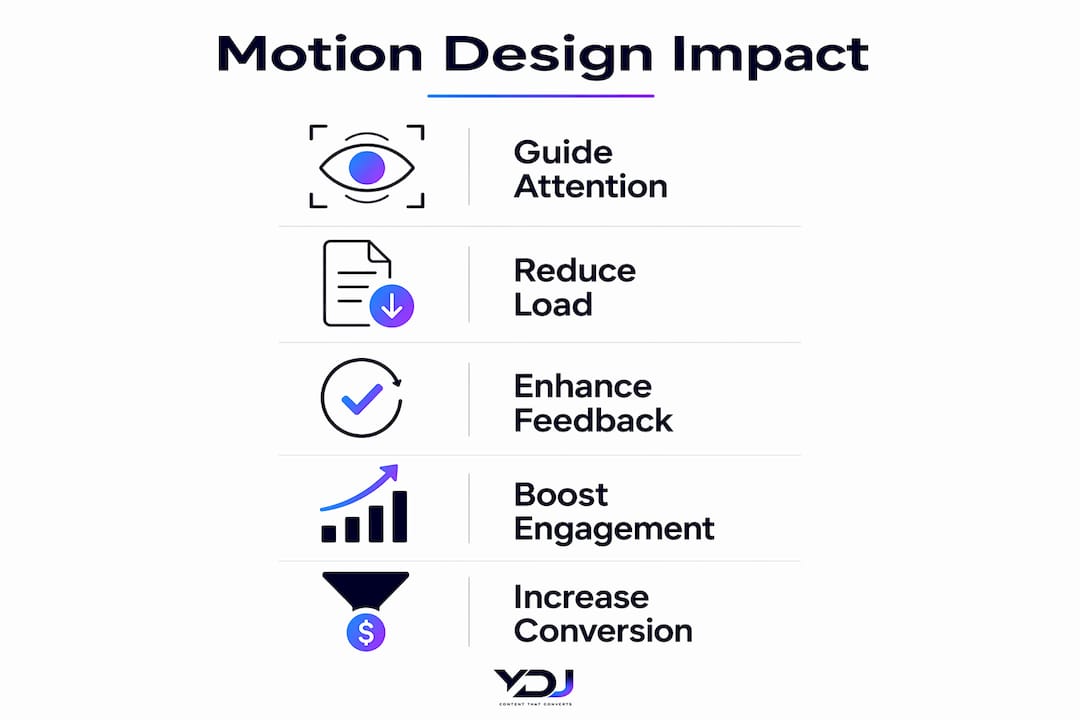
Entrance and exit animations are among the most useful. Animating transitions between a card list and a detail view teaches users the spatial model of your site without extra copy. Elements that fade or slide in on load feel intentional. Elements that simply appear feel unfinished.
Micro-interactions cover the small moments: hover effects on buttons, click ripples, loading state spinners, and progress bars. These are the animations visitors notice most, because they respond directly to user actions. A well-designed loading animation, for example, reduces perceived wait time and keeps users from bouncing.
Scroll-driven animations reveal content as users move down the page. Used well, they create a sense of story and pacing. Used poorly, they distract from reading and slow the page on mobile.
Common pitfalls to avoid:
- Looping animations near text. Looping motion near reading content is one of the most common mistakes. It splits attention and makes copy harder to process.
- Overly complex entrance sequences. Staggered animations that run for more than a second before content is readable frustrate users who came to find information.
- Ignoring mobile constraints. Animations that look great on desktop can stutter or break on mobile. Always test on real devices.
| Animation type | Primary purpose | Ideal duration |
|---|---|---|
| Hover micro-interaction | Confirm interactivity | 150–250ms |
| Page transition | Communicate spatial change | 300–500ms |
| Scroll reveal | Guide attention down the page | 400–600ms |
| Loading state | Reduce perceived wait time | Looped, subtle |
| Form validation | Signal success or error | 200–400ms |
The impact of animation on UX comes down to one principle: motion should clarify, not complicate. Every technique above works when it serves the user’s goal.
How does motion design affect brand perception and conversions?
Motion design signals quality before a visitor reads your headline. Good product motion feels alive and natural. Too little feels stiff and dated. Too much feels chaotic and untrustworthy. The sweet spot communicates that your business is professional and detail-oriented.
For small business owners, this matters more than most realize. Visitors make trust decisions in seconds. A site with polished motion, consistent easing, and responsive micro-interactions tells visitors you take your work seriously. A site with no motion, or worse, poorly executed animation, does the opposite.
Motion also supports your digital marketing goals directly:
- Longer session times: Visitors who find a site engaging and easy to navigate stay longer, which improves SEO signals and gives your content more time to convert.
- Higher CTA click rates: Animated CTAs that pulse or shift on scroll draw the eye more effectively than static buttons.
- Stronger brand recall: Consistent motion tokens tied to your brand colors and style create a visual identity that visitors remember.
- Reduced bounce rates: Smooth page transitions and fast feedback animations make the site feel responsive, which keeps visitors from leaving out of frustration.
Motion design is not a luxury for enterprise brands. It is a practical tool for any business that wants its website to avoid homepage mistakes and convert more visitors into customers.
Key Takeaways
Motion design is the most underused conversion tool on small business websites, and getting it right requires a system, not just a few animations.
| Point | Details |
|---|---|
| Motion builds trust instantly | Smooth, predictable motion shapes visitor perception before any copy is read. |
| Use a motion token system | Standardize duration, easing, and distance values to create consistent, professional animations. |
| Follow the no-decoration rule | Every animation must serve a task or state change, or it increases cognitive load. |
| Design for reduced-motion users | Build parallel static experiences, not just disabled animations, for accessibility compliance. |
| Keep durations between 200–500ms | Functional micro-interactions within this range feel responsive without frustrating users. |
Motion design is not a phase, it’s a foundation
I have reviewed and built enough websites to say this clearly: motion design that gets added at the end of a project almost always fails. It feels bolted on. The easing curves do not match. The durations are inconsistent. The whole thing looks like an afterthought, because it was.
The sites that get motion right plan it from the first wireframe. They define motion tokens alongside color tokens and type scales. They ask, at every design decision, “What does this element do when a user interacts with it?” That question changes how you build everything.
The other mistake I see constantly is prioritizing visual flair over usability. A hero section with a complex particle animation looks impressive in a portfolio. On a real business site, it slows the page, distracts from the headline, and sends visitors to a competitor. Decoration is not design.
Accessibility is the area most designers skip entirely. The prefers-reduced-motion media query exists for a reason. Users with vestibular disorders, epilepsy, or motion sensitivity rely on it. Designing a parallel experience, rather than just turning animations off, takes more time. It is also the right thing to do, and it protects you legally in markets with digital accessibility requirements.
My honest advice: test your motion on three things before launch. A mid-range Android phone. A slow 3G connection. And a browser with prefers-reduced-motion enabled. If the site still feels good across all three, you have built something worth publishing.
— Youri
Motion design and professional websites with Ydjmedia
Ydjmedia builds modern, mobile-first websites where motion design is part of the plan from day one, not an add-on. Every site includes purposeful micro-interactions, consistent animation systems, and performance-tested transitions that work on any device.
If you are a small business owner who wants a professional site that actually converts, Ydjmedia offers a no-risk free demo so you can see your site live before spending a dollar. One-time pricing, no retainers, and a 30-day money-back guarantee. See what a professionally designed website built with real motion design looks like for your business.
FAQ
What is the role of motion design in websites?
Motion design communicates state changes, guides user attention, and shapes brand perception through purposeful animation. It functions as the behavior layer of a site, telling users what happened, where they are, and what to do next.
How long should website animations last?
Functional micro-interactions should last between 200ms and 500ms. Shorter animations feel invisible, while longer ones feel slow and frustrate users trying to complete tasks.
Does motion design affect website performance?
Yes. Animations that use CSS transform and opacity run on the GPU and maintain 60 FPS. Animations that trigger layout recalculations cause jank and slow the page, especially on mobile devices.
What is the prefers-reduced-motion media query?
It is a CSS media query that detects when a user has requested reduced motion in their operating system settings. Best practice is to design a parallel static or simplified experience, not simply disable all animations.
Can motion design improve conversions for small businesses?
Motion design signals professionalism and builds visitor trust before any content is read. Sites with polished, consistent motion keep visitors engaged longer, which directly supports higher CTA click rates and lower bounce rates.