
Website user experience, commonly called UX, is defined as the sum of every interaction, perception, and emotional response a visitor has with your website. Poor UX is not a minor inconvenience. 88% of users will not return to a website after a bad experience, and 70% of online business failures are linked at least in part to usability problems. Those numbers tell you one thing clearly: UX is not a design preference. It is a business survival factor. Understanding user experience means recognizing that every click, scroll, and form submission either builds trust or destroys it. This guide breaks down what website UX actually is, what shapes it, and how you can improve it.
What is website user experience, and why does it matter?
Website user experience is the overall quality of how a person interacts with and feels about your site. The industry standard term is simply “UX,” a phrase coined and formalized by cognitive scientist Don Norman in the early 1990s. UX covers far more than visual design. Good UX helps users complete tasks with minimal effort and maximum clarity, which is what turns a casual visitor into a paying customer.
UX is also broader than most people assume. UX includes every interaction touchpoint, from onboarding emails and error messages to loading states and support pages. A visitor who hits a confusing error message after submitting a contact form has had a bad UX moment, even if the page itself looked great. That scope is what separates UX from pure visual design.

The importance of user experience shows up directly in business metrics. Bounce rates, time on site, conversion rates, and repeat visits all reflect how well your UX performs. A site that looks polished but buries its call to action three scrolls deep will lose customers that a simpler, clearer site would have kept.
What are the core elements of website UX?
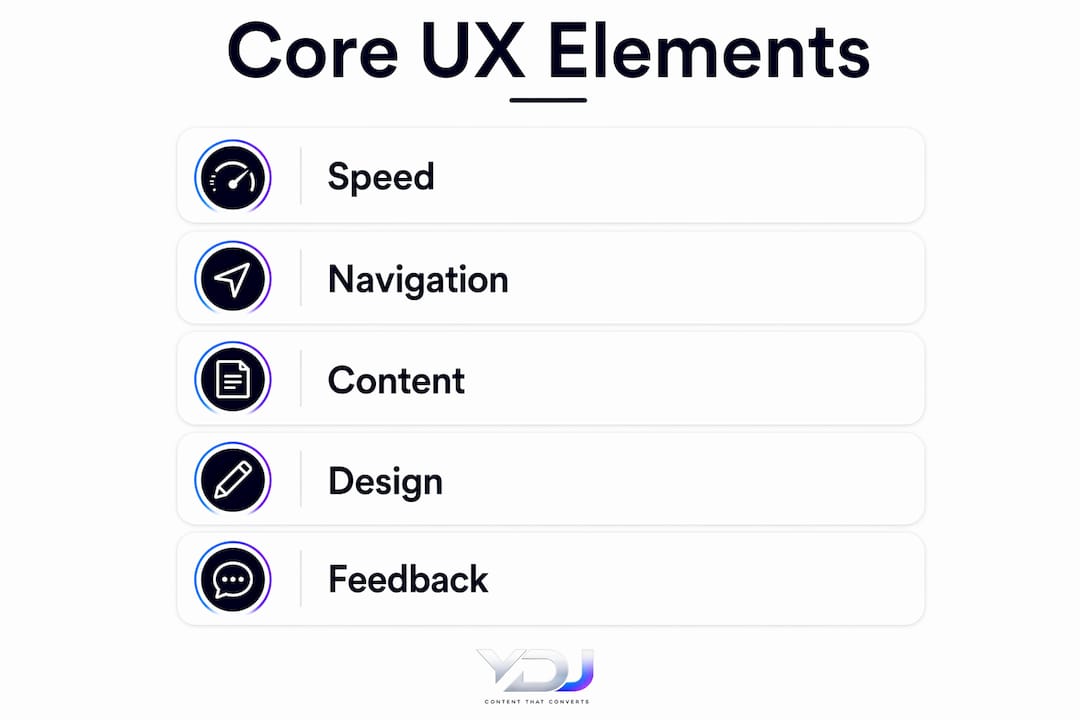
Six elements work together to create the full user experience on any website. Each one affects how visitors feel and what they do next.
- Usability: The site must be simple to navigate and forgiving of mistakes. Clear menus, logical page structures, and obvious calls to action all reduce the mental effort a visitor has to spend. When navigation is confusing, visitors leave rather than figure it out.
- Accessibility: Every user, including those with visual, motor, or cognitive disabilities, must be able to use the site. The Web Content Accessibility Guidelines (WCAG) set the global standard here. Accessibility also improves SEO and broadens your audience.
- Visual design: Users form a visual impression of a website’s quality in approximately 50 milliseconds. That first impression determines whether someone stays or leaves before reading a single word. Clean layouts, readable fonts, and consistent color use build immediate credibility.
- Performance: 47% of users expect a page to load in two seconds or less, and a one-second delay reduces conversions by 20%. Speed is not a technical detail. It is a core UX factor.
- Interaction design: Every button, form field, and transition shapes how easy the site feels to use. Buttons that look clickable, forms that auto-fill where possible, and transitions that confirm an action all reduce friction.
- Content clarity: Visitors scan before they read. Clear headings, short paragraphs, and a logical content hierarchy let people find what they need fast. Walls of text push people away.
Pro Tip: Run your site through Google PageSpeed Insights and GTmetrix to get a concrete performance score. Fix the top three issues first. Speed improvements alone can lift conversions noticeably.
Small friction points accumulate fast. Inconsistent messages or unclear navigation erode user confidence cumulatively, even when each individual issue seems minor. A visitor who hits two or three small frustrations in a row will leave and not come back.
How does UX differ from UI and customer experience?
These three terms get mixed up constantly, and the confusion costs teams real time and money. UX, UI, and customer experience (CX) are distinct, and understanding the difference helps developers, marketers, and business owners work together more effectively.
UX focuses on the overall quality of the interaction. Does the site help the user accomplish their goal easily and confidently? It covers structure, flow, and emotional response.
UI (User Interface) is the visual and interactive layer. It covers colors, typography, button styles, icons, and layout. UI is what UX looks like on screen. Great UI without solid UX is like a beautiful storefront with a locked door.
CX (Customer Experience) covers the entire brand relationship across every channel. That includes your website, your emails, your social media, your customer service calls, and your packaging. UX is a critical piece of CX, but CX extends far beyond any single digital touchpoint.
Here is how the three relate in practice:
| Concept | Focus | Scope |
|---|---|---|
| UX | Interaction quality and user goals | Website and digital product interactions |
| UI | Visual and interactive elements | Screens, buttons, forms, layouts |
| CX | Full brand relationship | All channels, online and offline |
A marketer who understands this distinction will stop treating a visual redesign as a UX fix. A developer who gets it will stop treating UX as someone else’s job. Both roles shape UX outcomes every day.
What business results does strong UX actually deliver?
The business case for UX investment is not theoretical. Design-led organizations deliver 228% higher returns to shareholders compared to peers that do not prioritize structured UX. That figure reflects the compounding effect of better retention, higher conversions, and lower support costs over time.
The return on direct UX investment is equally striking. Every $1 invested in UX returns about $100, a 9,900% ROI. That figure comes from reduced development rework, lower customer support volume, and higher conversion rates working together.
The indirect benefits are just as real:
- Lower support costs: When users can find answers and complete tasks without help, support ticket volume drops.
- Higher customer loyalty: Users remember how a product made them feel in terms of confidence, speed, and ease. Positive feelings drive repeat visits and referrals.
- Stronger brand trust: A site that works well signals that the business behind it is competent and reliable.
- Better SEO performance: Google’s Core Web Vitals measure UX factors like load speed and layout stability directly. Better UX means better rankings.
Poor homepage UX mistakes are often the first place businesses lose customers they worked hard to attract. Fixing those mistakes does not require a full redesign. It requires understanding what users actually need when they land on your page.
How can you improve website user experience effectively?
Improving UX is a process, not a one-time fix. These steps give developers, marketers, and business owners a clear path forward.
- Conduct user research first. Talk to real users or run a simple usability test with five people. Watch where they hesitate, click the wrong thing, or give up. Five test sessions reveal the majority of your site’s biggest problems.
- Simplify navigation. Limit your main menu to five to seven items. Use clear, descriptive labels, not clever ones. Visitors should never have to guess where something lives.
- Reduce cognitive load. Use white space generously. Break content into short sections with clear headings. Every extra element on a page competes for attention and slows decisions.
- Prioritize mobile performance. More than half of web traffic comes from mobile devices. A site that works beautifully on desktop but breaks on a phone is failing the majority of its visitors. Test on real devices, not just browser simulators.
- Meet accessibility standards. Follow WCAG 2.1 AA guidelines as your baseline. Add alt text to images, ensure sufficient color contrast, and make all interactive elements keyboard-navigable. Accessibility compliance also reduces legal risk.
- Iterate based on data. Use tools like Google Analytics and Microsoft Clarity to track where users drop off. Run A/B tests on key pages. UX improvement is a feedback loop, not a finish line.
Pro Tip: The System Usability Scale (SUS) is a free, 10-question survey you can send to real users after they interact with your site. A score above 68 is considered above average. Use it to benchmark before and after any major UX change.
Conversion-optimized design ties UX directly to revenue. When you reduce friction at every step of the user journey, from landing page to contact form, more visitors complete the action you want them to take. That is the practical payoff of getting UX right.
Key Takeaways
Strong website user experience is the single most direct lever a business owner, developer, or marketer can pull to improve both visitor satisfaction and conversion rates.
| Point | Details |
|---|---|
| UX drives retention | 88% of users will not return after a bad experience, making UX a core business priority. |
| Six elements shape UX | Usability, accessibility, visual design, performance, interaction design, and content clarity all contribute. |
| UX, UI, and CX are distinct | UX covers interaction quality, UI covers visual elements, and CX spans the entire brand relationship. |
| ROI is measurable | Every $1 invested in UX returns approximately $100 through higher conversions and lower support costs. |
| Improvement is iterative | User research, usability testing, and data-driven iteration produce better results than one-time redesigns. |
Why I think most businesses are still getting UX backwards
I have worked with dozens of small business owners on their websites, and the pattern is almost always the same. They spend weeks choosing colors and fonts, then launch a site that buries the contact button or makes the services page impossible to find on mobile. The look gets all the attention. The experience gets none.
The uncomfortable truth is that UX maturity is a cultural shift, not a design sprint. It requires using objective metrics like SUS scores and task success rates to make decisions, not gut feelings about what looks good. Most internal resistance to UX investment comes from not having the numbers to back it up. Once you show a stakeholder that a single page change lifted form completions by a measurable amount, the conversation changes completely.
Successful UX projects use hard data to justify design decisions to non-technical stakeholders. That is the only argument that consistently works. Stop pitching UX as a design philosophy and start presenting it as a revenue lever. The businesses that make that shift are the ones that pull ahead.
My advice: pick one page on your site that gets traffic but converts poorly. Run five user tests on it. Fix the top three friction points. Measure the result. That single cycle will do more for your UX understanding than any course or article, including this one.
— Youri
How Ydjmedia builds websites that put UX first
A great-looking website that frustrates visitors is an expensive mistake. Ydjmedia builds mobile-first websites designed from the ground up to convert visitors into customers, with UX baked into every decision from structure to speed to content hierarchy.
Every Ydjmedia project starts with a free demo site so you can see exactly how your website will look and perform before spending a dollar. There are no retainers, no agency runaround, and no surprise costs. Just clear, one-time pricing and a 30-day money-back guarantee. If you want a site that works as well as it looks, explore what’s possible for small business websites built to perform.
FAQ
What is website user experience in simple terms?
Website user experience (UX) is how a visitor feels and what they can accomplish when they interact with your site. It covers ease of navigation, page speed, visual clarity, and whether the site helps users reach their goal without frustration.
How does UX affect conversion rates?
A one-second delay in page load reduces conversions by 20%, and poor navigation causes users to leave before converting. Reducing friction at every step of the user journey directly increases the percentage of visitors who take action.
What is the difference between UX and UI?
UX covers the overall quality of the interaction and whether users can complete their goals easily. UI covers the visual and interactive elements like buttons, colors, and layout. UI is one component of UX, not a synonym for it.
How do I know if my website has a UX problem?
High bounce rates, low time on page, and low conversion rates are the clearest signals. Running a usability test with five real users will surface the specific friction points causing those numbers.
What is the first step to improving website UX?
Start with user research. Watch five real users attempt to complete a key task on your site, such as finding your services or submitting a contact form. The hesitations and mistakes you observe will identify your highest-priority fixes.