
A portfolio website becomes a lead engine the moment it combines clear specialization, outcome-focused case studies, friction-free contact paths, and targeted traffic. That’s the short answer. Everything else is execution.
Here’s what to prioritize first:
- Specialization headline: Name who you help and the result you deliver, above the fold.
- Outcome-focused case studies: Show measurable results, not just pretty screenshots.
- Visible primary CTA: One clear next step on every page, especially the homepage hero.
- Short contact form or booking widget: Name, email, project type, one-line brief. Nothing more.
- SEO-targeted pages: Write for the exact queries your ideal clients search, not generic terms.
- One gated lead magnet: A checklist, template, or PDF that captures emails from visitors not yet ready to hire.
Track everything from day one. Google Analytics 4 paired with a CRM like HubSpot or Pipedrive tells you which pages generate leads and which ones lose visitors. Without that data, you’re guessing.
Table of Contents
- What on-site elements actually capture leads from your portfolio?
- Which design and UX choices actually move the lead needle?
- How do you write case studies that qualify your leads?
- What lead capture mechanics should your portfolio site use?
- How does SEO bring the right visitors to your portfolio?
- How do you turn captured leads into paying clients?
- When should you expect leads, and what does it cost?
- How Ydjmedia builds portfolio sites that actually generate leads
- Key Takeaways
- What actually works for portfolio lead generation, from what we see repeatedly
- Ydjmedia builds portfolio sites that work from day one
- Further reading and sources
What on-site elements actually capture leads from your portfolio?
The structure of your site does most of the heavy lifting before a visitor ever reads a word of your case studies. Get these elements right and you’ll convert a meaningful share of your traffic. Miss them and even great work goes unnoticed.
Your value proposition
Your headline is not a job title. “Freelance Designer” tells a visitor nothing about why they should hire you over anyone else. A sharp value proposition names the client type, the problem you solve, and the outcome you deliver. Something like: “I help SaaS companies reduce churn with onboarding flows that actually get used.” That’s a headline a decision-maker reads and immediately thinks, “That’s me.”
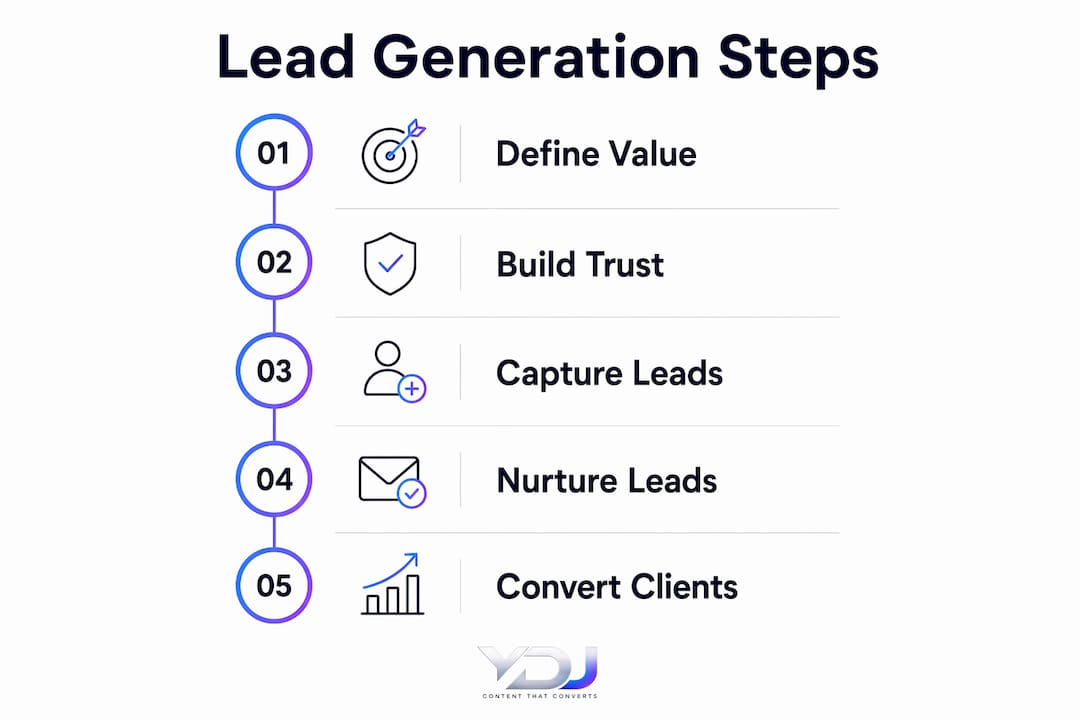
CTA placement
Place your primary CTA above the fold on the homepage, and again at the end of every case study. A sticky header button keeps the action visible as visitors scroll. Secondary CTAs on service pages can point to a specific project type or a free consultation. The goal is to never let a visitor reach a dead end.
A portfolio without a clear next step is a gallery, not a business tool. Every page should answer the question: “What should I do now?” If a visitor has to hunt for your contact details, most of them won’t bother.
Trust signals
Place testimonials and client logos near your CTAs, not buried in a separate “Testimonials” page. A short quote from a past client right above your contact form does more work than a wall of five-star reviews on a page nobody visits. Publications, awards, and recognizable brand logos trigger the halo effect, where positive associations with known brands transfer to your credibility.
Contact mechanisms
Keep friction low. A short form, a calendar booking widget, and a visible email address cover most visitors. Some people want to book immediately; others want to send a quick message first. Offer both. A scheduling tool like Calendly or TidyCal lets prospects self-select a time without a back-and-forth email chain, which alone can save 3–5 hours per week in manual scheduling.
Must-have pages checklist:
- Homepage with a specialized landing section
- 3–5 case studies with measurable outcomes
- Services page with clear scope and deliverables
- “How I Work” process page
- Contact or booking page
Pro Tip: Place your primary CTA button in the homepage hero, at the end of each case study, and in a sticky header. Those three placements cover the three moments visitors are most likely to convert.

Which design and UX choices actually move the lead needle?
Design isn’t decoration. Every layout decision either helps a visitor understand your value and take action, or it gets in the way. Here’s where to focus your energy.
First impressions happen fast
Research shows visitors form an opinion about a website within 50 milliseconds. That’s before they’ve read a single word. Your visual hierarchy needs to communicate credibility and clarity instantly: headline, subheadline, social proof, and CTA, all visible within two seconds of page load.
Mobile-first is non-negotiable
Most of your prospective clients will vet you on a phone before they ever open a laptop. A simplified hero section, tappable CTA buttons with enough padding to hit with a thumb, and a visible phone number or email link are the baseline. If your site is hard to use on mobile, you’re losing leads before they even see your work. Ydjmedia builds every portfolio site mobile-first by default, which is the right starting point.
Speed and performance
Aim for sub-2-second load times. Compress images with a tool like Squoosh or ShortPixel, use a content delivery network, and keep third-party scripts minimal. Slow pages increase bounce rates, and a visitor who bounces never sees your case studies. SSL is table stakes; a browser “Not Secure” warning kills trust before your headline loads.
UX checklist to run before launch:
- Hero headline: does it name your client type and outcome?
- CTA button: high contrast, visible without scrolling?
- Contact form: five fields or fewer?
- Testimonial or logo near the primary CTA?
- Page loads in under 2 seconds on a mobile connection?
- No broken links or placeholder text?
Pro Tip: Conversion improvements usually come from small, measurement-driven fixes — shorter hero text, a tighter form, a testimonial moved closer to the CTA — rather than a full redesign. Test one change at a time and let the data tell you what’s working.
How do you write case studies that qualify your leads?
A case study is your strongest sales tool. Not because it shows what you made, but because it shows what you solved. The right structure turns a browser into a qualified lead who already understands your process and trusts your results.
The case study template
Use this sequence for every project you publish:
- Context: Who is the client, what industry, what stage of business?
- Challenge: What specific problem were they trying to solve?
- Approach: What did you do, and why did you choose that approach?
- Measurable outcome: Revenue lift, conversion rate improvement, time saved, rankings gained.
- Client quote: A short, specific testimonial from the client.
- CTA: A short, qualifying invitation to take the next step.
Which metrics matter
Prospective clients care about outcomes that connect to their own goals. Revenue, conversion lift, organic traffic growth, and page speed improvements all translate directly. Avoid vanity metrics like “increased brand awareness” unless you can attach a number to it. If you helped a client’s landing page go from 1.2% to 3.8% conversion rate, say that. Specificity builds credibility.
One strong case study with real numbers beats ten thumbnail galleries. Visitors who read a detailed case study are already qualifying themselves as serious prospects. They’re doing the research a buyer does before making a decision.
Handling team projects and sensitive clients
If you worked on a team, be clear about your specific role. “I led the UX research and wireframing; the visual design was handled by the in-house team” is honest and still compelling. For sensitive clients, anonymize the company name but keep the numbers. “A Series B SaaS company” with real metrics is more credible than a named client with vague results.
Qualifying CTAs at the end of each case study
Don’t end a case study with a dead stop. A short, specific invitation filters for the right leads:
- “Working on a similar problem? Book a free 20-minute review.”
- “Need to improve your onboarding conversion? Let’s talk.”
These CTAs do double duty: they invite action and they pre-qualify the visitor by naming the problem you solve. You can find more guidance on showcasing services online that pairs well with this approach.
What lead capture mechanics should your portfolio site use?
Getting a visitor to your site is only half the job. The other half is capturing their contact details before they leave. Here’s how to build a capture system that works around the clock.
Form design
Keep your inquiry form to four or five fields maximum: name, email, project type (a dropdown works well), and a one-line brief. Every extra mandatory field reduces submissions. Gather additional details like budget and timeline after the initial contact, either in an automated follow-up email or during the discovery call.
Minimal form fields are one of the highest-leverage changes you can make to an existing portfolio. If your current form has eight fields, cut it to four and watch your submission rate climb.
Landing pages and lead magnets
A lead magnet captures visitors who aren’t ready to hire yet but are worth staying in touch with. Effective magnets for portfolio audiences include:
- A brief template (e.g., “The 1-Page Creative Brief Template”)
- An industry-specific checklist (e.g., “Website Launch Checklist for Service Businesses”)
- A case study PDF with deeper results and process detail
Gate these behind a simple email capture form. The visitor gets something useful; you get a warm lead to nurture.
Self-service booking
A calendar integration like Calendly, Cal.com, or Acuity Scheduling does more than save time. It vets availability automatically, filters out leads who won’t commit to a scheduled call, and keeps your calendar clean. Self-service booking functions as a digital gatekeeper, saving several hours per week in manual back-and-forth.
Chat and chatbots
A live chat widget or a simple chatbot handles pre-qualification outside business hours. Use it to answer common questions (services, pricing range, turnaround), collect a name and email, and route the transcript to your CRM. Tools like Tidio or Crisp integrate with most CRMs and keep the conversation history in one place.
Pro Tip: Write your chatbot’s opening message as a question, not a greeting. “What kind of project are you working on?” gets more responses than “Hi! How can I help you today?”
CTA phrasing that raises response rates
| CTA Type | Weak Version | Stronger Version |
|---|---|---|
| Contact form | “Get in touch” | “Tell me about your project (2 min)” |
| Booking | “Schedule a call” | “Book a free 20-min review” |
| Lead magnet | “Download” | “Get the free checklist” |
| Case study end | “Contact me” | “Have a similar challenge? Let’s talk.” |
The stronger versions set expectations (time, deliverable, cost) and reduce the perceived risk of reaching out.
How does SEO bring the right visitors to your portfolio?
Traffic quality matters more than traffic volume. A hundred visitors who are actively looking to hire someone like you is worth more than ten thousand casual browsers. Here’s how to attract the right people.

Target long-tail, high-intent keywords
Generic keywords like “web designer” or “copywriter” are dominated by large platforms and agencies. The keywords that actually convert for portfolio sites are specific: “UX designer for fintech startups,” “email copywriter for e-commerce brands,” “local SEO specialist in Austin.” These phrases have lower search volume but much higher purchase intent. Someone searching that phrase is looking to hire, not browse.
Build topical authority with case studies and blog posts
Treating SEO as a product strategy means publishing enough focused content that search engines recognize you as an authority on your niche. Each case study targets a specific problem and outcome. Each blog post answers a question your ideal client is searching for. Over time, these pages compound. A case study published today can generate organic leads for years, something a social post from the same day cannot do.
Internal linking is underused on most portfolios. Link each case study to your relevant service page and to related blog posts. This distributes authority across your site and helps search engines connect your content to the right search intent.
Schema markup and technical basics
Structured data using Person, Service, or CreativeWork schema helps your portfolio appear more prominently in search results and improves click-through rates. Pair that with unique title tags on every page and semantic HTML, and you’ve covered the technical foundation most portfolio sites skip entirely.
Paid and social channels
Paid search makes sense when you want to accelerate results on a specific high-intent page, like a landing page for a particular service. Social media is better for discovery and brand awareness than direct lead generation, but it can drive qualified traffic when you share case study content with a clear link back to your site. Referral traffic from LinkedIn, industry directories, and guest posts on niche publications tends to convert well because the visitor already has context about your work.
How do you turn captured leads into paying clients?
Capturing a lead is the start, not the finish. What happens in the 24 hours after someone fills out your form often determines whether they book a call or go cold.
Immediate follow-up
Send an automated confirmation the moment someone submits your form. Include a short intake questionnaire (three to five questions about their project, timeline, and budget) so you arrive at the discovery call prepared. Speed matters here. Leads contacted within an hour of submitting a form are significantly more likely to convert than those who wait a day or more.
A simple three-step nurture sequence
For leads who download a magnet or sign up but don’t book immediately, a short email sequence keeps you top of mind:
- Day 1: Thank you email with the promised resource, plus a link to your most relevant case study.
- Day 4: A short problem-solution email that addresses the most common challenge your clients face, with a soft CTA to book a call.
- Day 8: A direct invitation to schedule a free consultation, with a specific link to your booking page.
Automated nurturing sequences like this outperform one-off cold outreach for service businesses because they stay relevant without requiring manual effort every time.
CRM tagging and segmentation
Tag every lead by service type, budget range, and how they found you. A lead who came from a specific case study about e-commerce SEO is a different conversation than one who came from a general blog post. Tailored follow-up that references what they were looking at converts better than a generic pitch. Tools like HubSpot (free tier), Notion with a CRM template, or Airtable work well for solo freelancers.
Metrics to track
| Funnel Stage | Metric | Realistic Solo Freelancer Benchmark |
|---|---|---|
| Site visitors | Monthly unique visitors | 300–800 (months 3–6) |
| Lead capture | Lead rate | 2–5% of visitors |
| Discovery calls | Booking rate | 30–50% of leads |
| Closed clients | Close rate | 20% of calls |
Pro Tip: The early signals that predict a higher close rate: a lead who mentions a specific case study by name, fills in the brief field with detail, and books a call within 48 hours of submitting the form. Prioritize those conversations.
When should you expect leads, and what does it cost?
Setting realistic expectations saves a lot of frustration. Here’s an honest breakdown of timelines and investment.
Timeline scenarios
-
Quick-win launch (weeks 1–4): A conversion-optimized template like those available through platforms such as Swipe Pages can get you live fast. Pair it with a Google Business Profile and local directory listings for immediate local discovery. Don’t expect organic search traffic yet, but referrals and direct traffic can start generating leads within the first month.
-
SEO and content strategy (months 3–12): Portfolio SEO compounds over time, with meaningful organic traffic typically appearing after three to six months of consistent publishing. By month 12, a well-executed content strategy can generate a steady stream of inbound leads without paid promotion.
-
Paid promotion shortcut: Running Google Ads or LinkedIn Sponsored Content on a specific high-intent landing page can generate leads within days. Budget $300–$800 per month for a focused campaign targeting one service and one audience. This shortens the timeline but requires ongoing spend.
Estimated cost ranges
- DIY with a template: $0–$300 upfront (platform subscription plus domain). Fastest to launch, but requires your own time for customization and content.
- Mid-tier build with plugins: $500–$2,000. A freelancer or small agency builds on WordPress or Webflow with conversion-focused plugins for forms, booking, and analytics.
- Full professional build: $2,500–$8,000+. Custom design, copywriting, SEO setup, CRM integration, and ongoing support included.
What to expect month by month
- Month 1: Site live, Google Analytics and Search Console connected, first case studies published. Traffic is mostly direct and referral.
- Month 3: First organic impressions appearing in Search Console. Local and long-tail pages starting to rank. First inbound leads from SEO possible.
- Month 12: Compounding organic traffic from case studies and blog posts. A consistent lead flow if content cadence has been maintained.
Ongoing costs to maintain momentum include hosting ($10–$30/month), email marketing tools ($15–$50/month), and time for one to two new content pieces per month.
How Ydjmedia builds portfolio sites that actually generate leads
Ydjmedia follows a four-step process on every portfolio build: discovery, content mapping, conversion-first build, and analytics setup.
The process:
- Discovery: Identify the client’s niche, ideal client profile, and the three to five outcomes they can prove with data.
- Content map: Prioritize the pages and case studies that target the highest-intent search queries for that niche.
- Conversion-first build: Mobile-first templates with clear value propositions, visible CTAs, short forms, and booking integration baked in from the start.
- Analytics and automations: Google Analytics 4, Search Console, and a basic CRM integration so the client can measure lead rate from day one.
Two examples of what this looks like in practice:
A service business in the home improvement space launched with three outcome-focused case studies, a booking widget on the homepage, and a local SEO setup targeting city-specific keywords. Within 90 days, the site was generating consistent inbound inquiries without any paid advertising.
A freelance consultant in the B2B space added a gated lead magnet (a one-page brief template) and a three-step email nurture sequence. The lead magnet captured email addresses from visitors who weren’t ready to book, and the nurture sequence converted a portion of those into discovery calls over the following weeks.
The sites that generate leads consistently share one thing: they were built around a specific client problem, not around the service provider’s preferences. Every design decision, every headline, every CTA points back to the visitor’s need, not the owner’s resume.
A conversion-optimized design ties these elements together into a site that works as a sales tool, not just a digital business card.
Key Takeaways
A portfolio site generates consistent leads when it combines a specific value proposition, outcome-focused case studies, friction-free contact paths, and a content strategy that compounds over time.
| Point | Details |
|---|---|
| Specialize your headline | Name your client type and the outcome you deliver; generic job titles don’t convert. |
| Case studies over galleries | Three detailed case studies with real metrics outperform ten thumbnail images every time. |
| Minimize form friction | Keep inquiry forms to four or five fields; every extra field reduces submission rates. |
| SEO compounds over months | Expect meaningful organic traffic after 3–6 months; case studies and niche posts drive the highest-intent visitors. |
| Ydjmedia builds conversion-first | Ydjmedia’s mobile-first portfolio builds include booking integration, analytics setup, and a 30-day money-back guarantee. |
What actually works for portfolio lead generation, from what we see repeatedly
Most portfolio sites fail for the same reason: they’re built to impress peers, not to convert clients. A beautiful grid of project thumbnails tells a visitor you’re talented. It doesn’t tell them you can solve their specific problem.
Specialization beats breadth every time. A portfolio that says “I help e-commerce brands reduce cart abandonment with UX improvements” will outperform one that says “I do UX, branding, web design, and illustration.” The specialist looks like the expert. The generalist looks like a freelancer who’ll take anything.
One strong case study with a clear before-and-after narrative does more work than ten shallow project cards. Visitors who read a detailed case study are already in buying mode. They’re doing the research a client does before committing to a hire. Give them the information they need to say yes.
Automation removes admin drag. Freelancers who set up self-service booking, an automated confirmation email, and a short nurture sequence stop losing leads to slow response times. The warm touchpoints that happen automatically between first contact and the discovery call are often what close the deal.
The most common mistakes we fix in client sites: a homepage headline that’s a job title instead of a value proposition, a contact form with eight fields, case studies with no measurable outcomes, and no analytics connected. Each of these is a one-hour fix that can meaningfully change your lead rate.
Test one thing at a time. Shorten your form, move a testimonial closer to your CTA, rewrite your headline. Measure the result. Repeat.
Ydjmedia builds portfolio sites that work from day one
If you’ve read this far, you know what a conversion-first portfolio site needs. The harder question is whether you want to build it yourself or get it done right the first time.
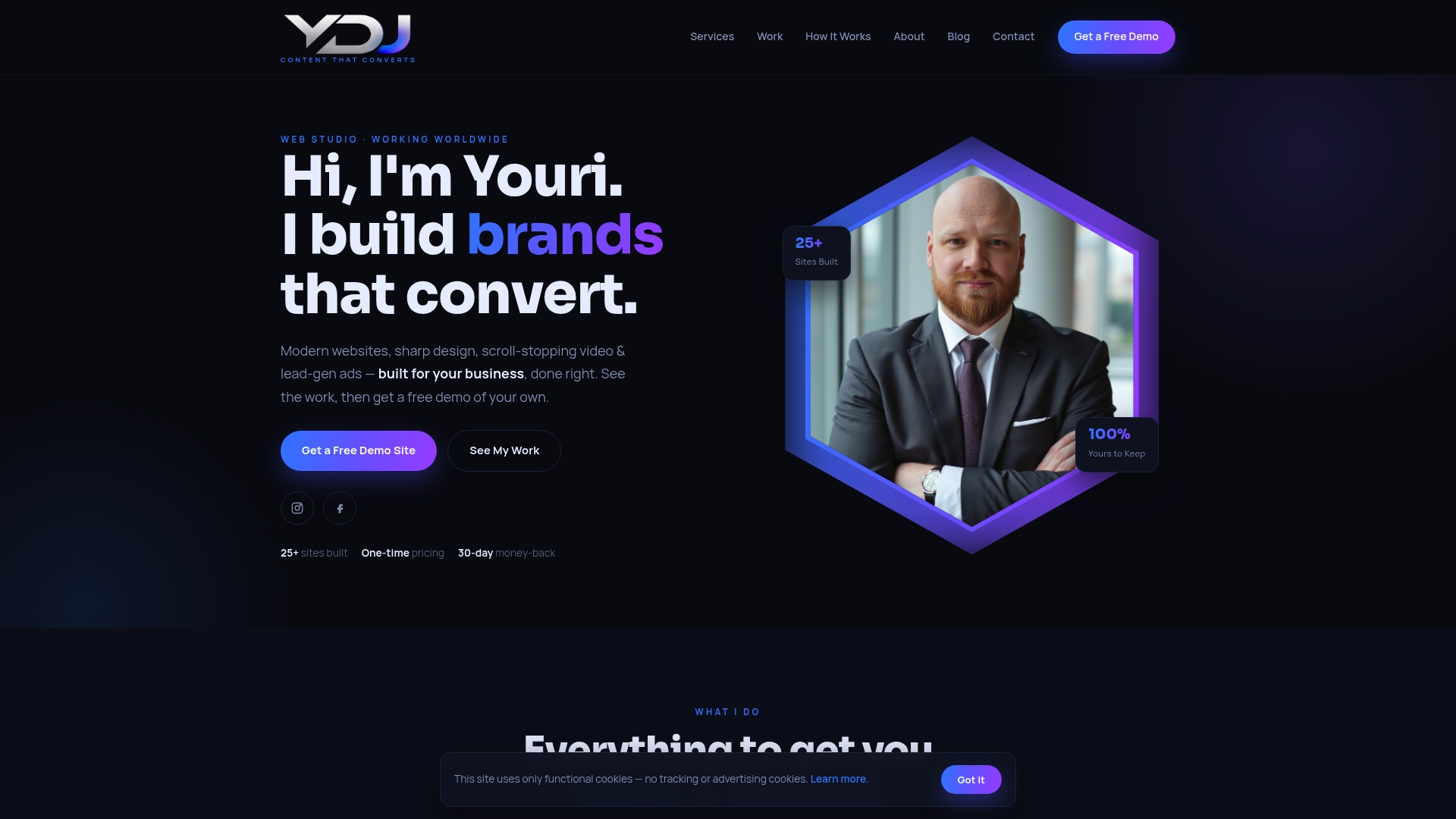
Ydjmedia builds mobile-first portfolio sites designed around one goal: generating qualified leads. Every build includes a conversion-optimized homepage, outcome-focused case study pages, booking integration, and Google Analytics setup. There are no monthly retainers, no agency runaround, and no guessing about what you’re paying. One-time pricing, a free demo site before you commit, and a 30-day money-back guarantee.
You can see your site live before spending a dollar. That’s the offer. If it doesn’t look right, you don’t pay. Visit Ydjmedia to request your free demo and get a transparent quote for a portfolio site built to convert.
Further reading and sources
These are the most practical resources referenced in this article, organized by the section they support most directly.
- 7 Ways Your Portfolio Website Actually Makes You Money — Covers self-service booking time savings, long-tail SEO compounding, and lead magnet strategy. Use this for sections on traffic and automation.
- How to Build a Portfolio Website That Actually Gets Clients — Practical guidance on form length, trust signals, first-impression research, and schema markup. Directly supports the design and capture sections.
- SEO Strategy for a Developer Portfolio: What Actually Works — Covers topical authority, internal linking, and the 3–12 month SEO timeline. Use this for the traffic and timeline sections.
- Automated Marketing Funnels for Service Businesses — Practical funnel and nurture sequence guidance for service providers. Relevant to the follow-up and CRM sections.
- How to Make an SEO Portfolio That Attracts Clients — Upwork’s guide to structuring portfolio case studies with metrics, role clarity, and niche specialization.
- Portfolio Lead Generation Template — A fast-path DIY option for launching a conversion-focused portfolio page quickly.
- Ydjmedia Blog — Hub of implementation guides covering conversion design, local lead generation, and portfolio strategy for small businesses.
- Portfolio Site Client Conversion Tips — Ydjmedia’s own guide to the features and content decisions that increase lead capture from a professional services portfolio.
- Website Conversion Optimization Tips for Entrepreneurs — Covers A/B testing, CTA placement, and measurement for small business sites.